 MIDI Genie
Loops New
Real sound, ready to drop in.
Describe a groove, a riff or a choir and hear it in seconds: an audio loop at your tempo, cut to whole bars, as a full-quality WAV.
The AI MIDI generator for producers, now with loops. Get audio loops you can hear in seconds, or editable MIDI for beats, melodies, chords and full arrangements, with every part written to fit. Then drag it into your DAW.
25 free credits when you sign up · No card needed
Real MIDI that opens anywhere
Loops New
Describe a groove, a riff or a choir and hear it in seconds: an audio loop at your tempo, cut to whole bars, as a full-quality WAV.
MIDI
Beats, melodies, chords and full arrangements, every part on its own track. Change it in plain words, then drag it into your DAW.
MIDI played through the built-in sounds. In your DAW it plays through yours.
How MIDI works ↓How it works
Talk to it like a producer in the room. Every reply is a new take, so nothing you liked gets lost.
A style, a mood, the instruments, a key or a tempo. Leave anything out and MIDI Genie fills it in.
Every part plays on real instrument sounds. Ask for changes in plain words, or edit notes yourself.
Download the .mid from your browser, or drag tracks straight from the plugin onto your timeline.
Start in your browser
Open MIDI Genie, describe what you hear in your head, and press Create. Try a starter idea if you're not sure where to begin.
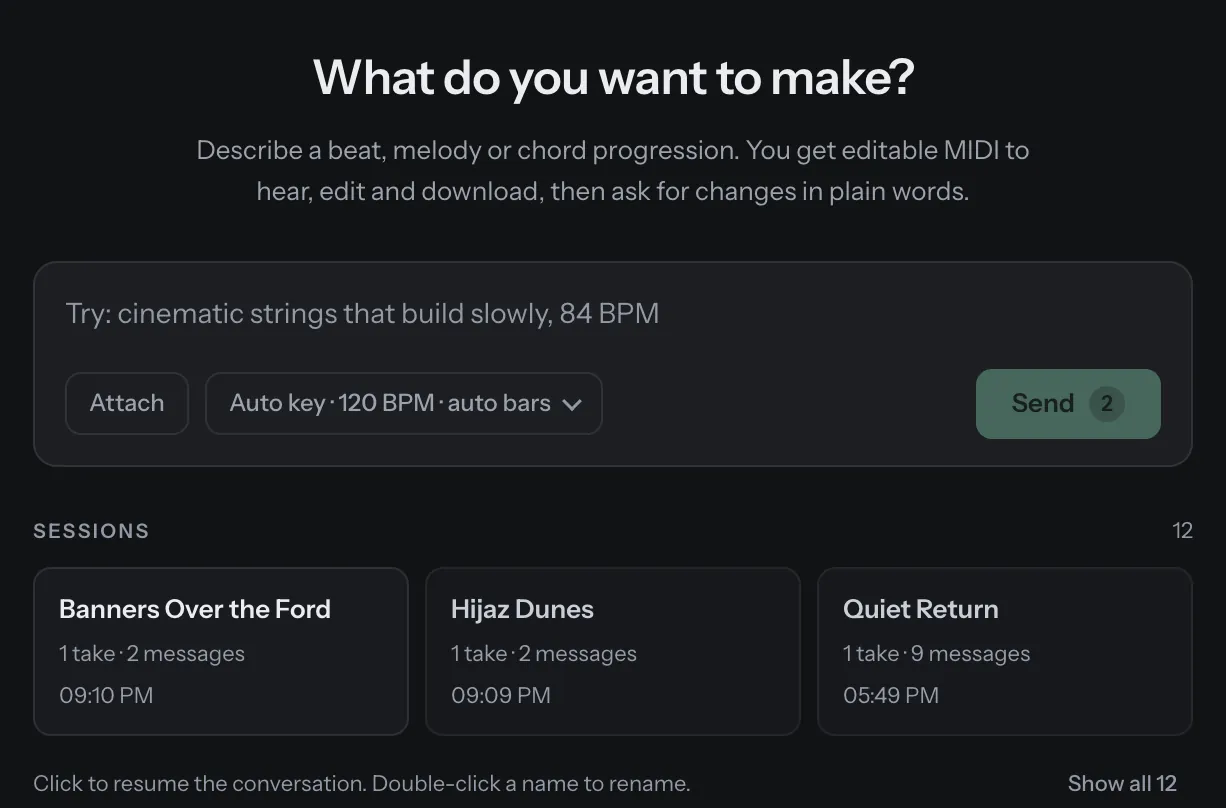
Refine it
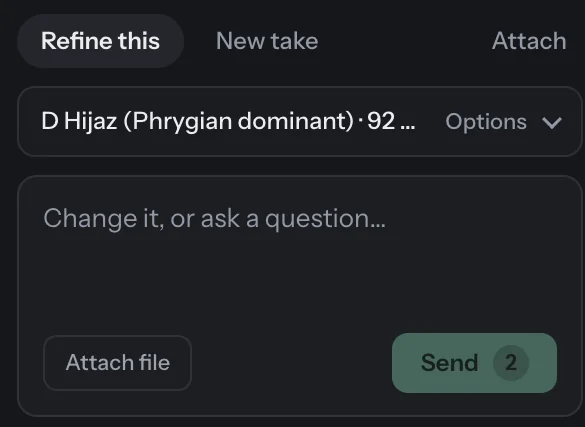
"Make the strings more intense." "Add a French horn melody." "Half time on the drums." MIDI Genie rewrites what you asked for and leaves the rest alone.
@
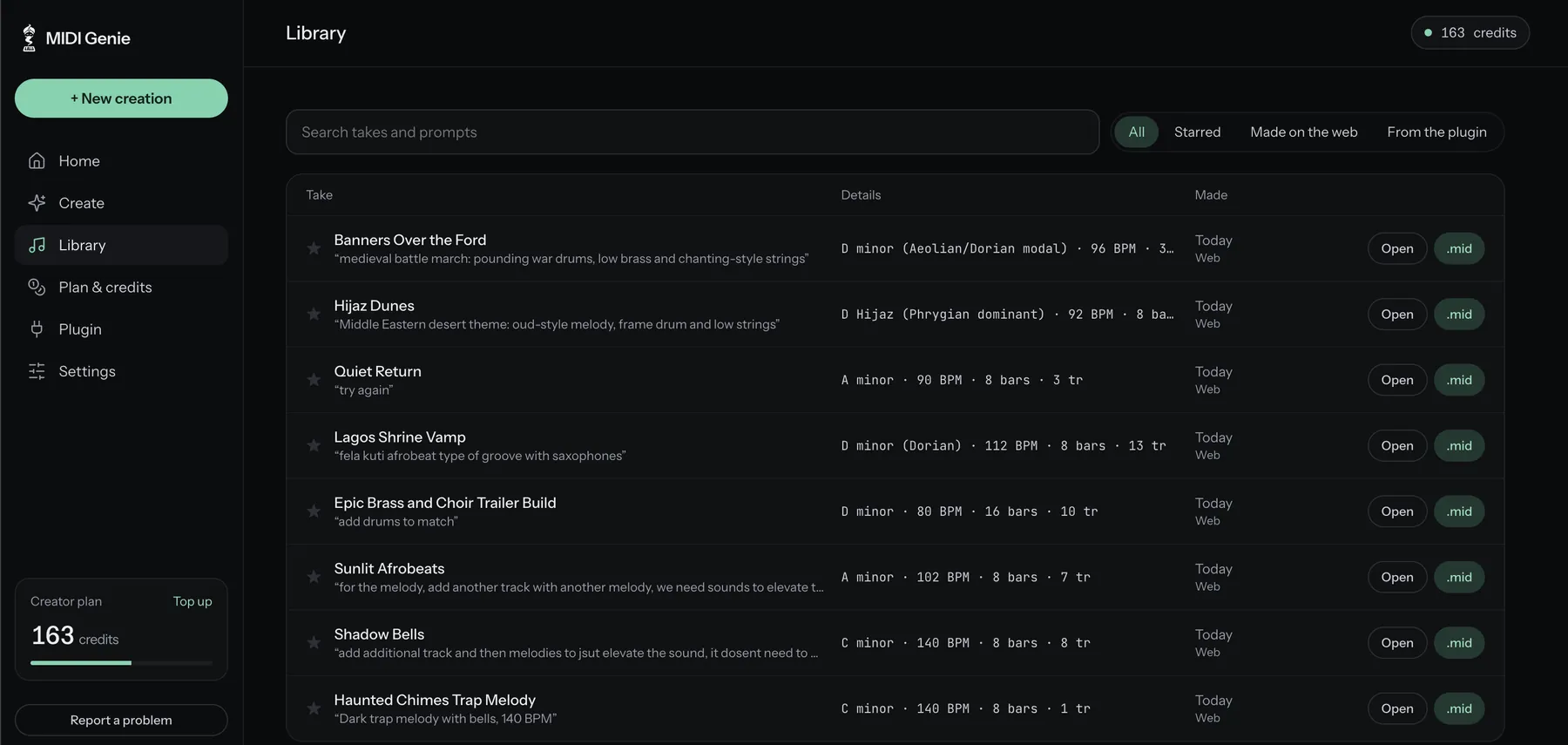
Your library
Each beat is saved to your library with the words that made it. Search it, star the keepers and download any take as MIDI whenever you need it.
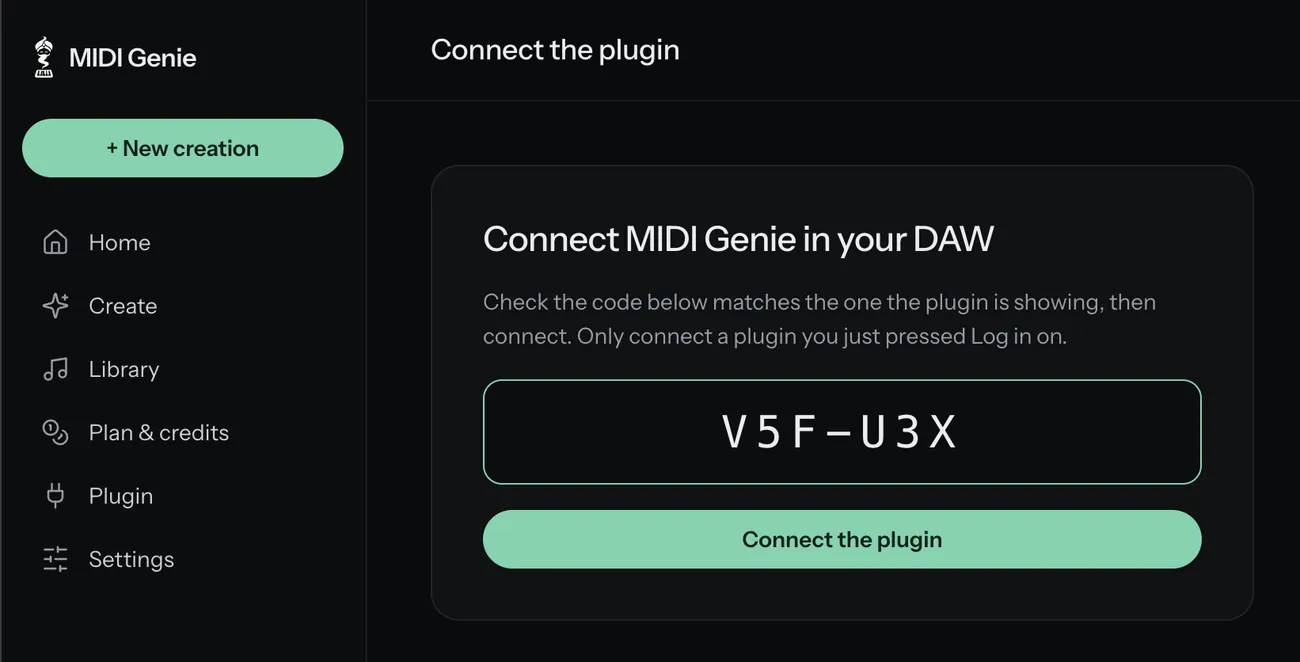
In your DAW
On the Creator and Pro plans, MIDI Genie also runs as an AU and VST3 plugin and a standalone app. Log in once with a short code, and your credits and takes follow you.
Build on your ideas
Attach a MIDI file, a loop or a vocal, and ask for what it needs: strings under your piano, a bassline for your chords, drums for your melody. Your notes stay exactly as they are.
In the plugin, press Listen and play your project. MIDI Genie catches the notes on its channel and writes the next part to fit.
Made to sound right
AI writes the first draft. MIDI Genie does the rest: every part written around the others, kept in range for its instrument and played with feel before you hear it. Not random notes.
Drums, bass, chords and melody are written together, so they work as one beat instead of clashing. Grooves and voicings follow the style you ask for.
Turn on Check and revise, and each take is judged against your style and rewritten where it misses.
Swing, accents and timing that sound like a person, not a grid.
In key, in range for each instrument, and a valid .mid every time.
The plugin
The same MIDI Genie as an AU and VST3 plugin, with drag and drop straight onto your timeline. Included with Creator and Pro.
Pricing
Every plan gives you a fresh batch of credits each month. A beat costs 2 credits, and the button always shows the exact number before you press it.
Try it today
$0
25 credits, once · up to 12 beats
Start freeTo try it properly
$7/ month
120 credits a month · up to 60 beats
Choose StarterBrowser and DAW
$12/ month
250 credits a month · up to 125 beats
Choose CreatorFor daily sessions
$29/ month
750 credits a month · up to 375 beats
Choose ProPrefer to own it?
A one-time licence for the plugin and standalone app, with a year of updates. Instead of credits, you connect your own provider key and pay that provider directly for what you use. Makes MIDI only: loops need credits. How it works
Secure checkout by Polar · Terms · Refunds · Prices in US dollars
FAQ
Something else? Email olu@midigenie.com and you'll hear back from a person.
Yes. Sign up, confirm your email and you get 25 free credits, enough for up to 12 beats. No card needed. If you like it, pick a plan.
Yes. MIDI Genie is an AI MIDI generator: AI writes a first draft from your words, and MIDI Genie keeps every part in range, in time and playable before you hear it. You get MIDI, not a finished track, so the sounds, the edits and the final say are yours.
Drum patterns, basslines, chord progressions, melodies, countermelodies and full multi-track arrangements, in styles from cinematic strings and solo piano to house, Afrobeats and lo-fi. Ask for one part or a whole beat, then refine it in plain words.
Both. Loops are audio: describe a drum groove, a riff, a pad or a choir and get a loop at your tempo, cut to whole bars, as a WAV ready to drop in. MIDI gives you the notes, every part on its own track, to edit in your piano roll and play through your own synths, samplers and sound libraries. The built-in sounds are there so you can hear a take before you use it.
Every take downloads as a standard .mid file, which opens in any DAW: FL Studio, Ableton Live, Logic Pro, Cubase, Studio One, Reaper and more. The plugin loads as an AU or VST3 instrument on macOS and is tested in FL Studio. It also runs as a standalone app.
Creator and Pro. Install it, press Log in with MIDI Genie and confirm the code in your browser. Free credits and Starter work in the web app, with .mid downloads for any DAW.
The web app works in any modern browser on Windows. The plugin is macOS only for now. Windows is next.
Yes. Attach a MIDI file, a loop or a vocal and ask for parts that fit: strings under your piano, a bassline for your chords. MIDI is read note for note. Audio is used as a reference for tempo and feel, not turned into notes. In the plugin, Listen catches the notes you play on its channel.
You do. Use it in your releases, commercially or not, with no credit needed. See the Terms.
No. MIDI Genie makes new beats. Asking for a style or a vibe is fine; you get a new beat in that feel, not a copy. Only attach music you have the right to use.
Any time, from Plan & credits. Your plan keeps working until the end of the period you paid for, and top-up credits stay yours. See the refund policy.
For producers who'd rather own the plugin than subscribe. You pay $49 once and get the plugin and standalone app with a year of updates. It doesn't use credits: you connect your own key from a provider such as OpenRouter and pay them directly for what you use. It makes MIDI only. Loops aren't included: they're made in the web app with credits. The docs walk you through it.
Your sessions and takes are private to your account. Delete a session and its files are deleted too, and you can delete your whole account from Settings. Read the privacy policy.
25 free credits. No card. Your first beat or loop in under a minute.


